

A note on names. Inside the dashboard, the client app is called the Beauty
Circle App. On a client’s phone it appears simply as Beauty Circle, styled
with your own clinic branding. The prompt inviting a client to install it reads
Beauty Circle: Unlock Rewards!.
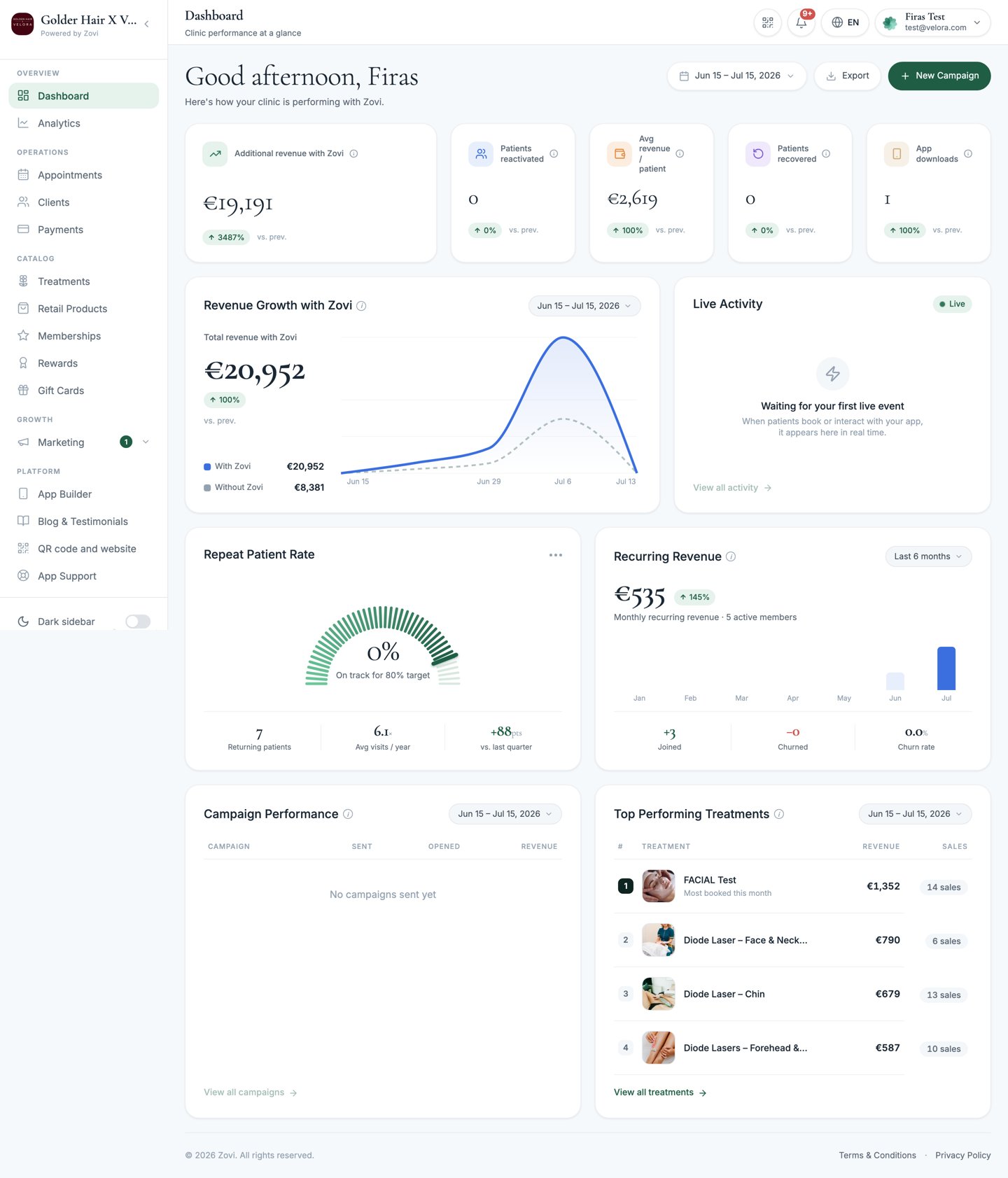
The Zovi dashboard, your clinic's home base. The sidebar on the left mirrors this help center's sections.
New here? Start with these
Tour the dashboard
Sign in, learn the navigation, and understand roles.
Set up your clinic
A first-run checklist to get live with real clients.
Get help
Reach the Zovi team or browse the FAQ.
Explore by area
Clients
Client records, profiles, the client journey, custom plans, and offers.
Appointments & check-in
The calendar, QR codes, and checking clients in by scanning.
Catalog
Treatments, retail products, memberships, rewards, and gift cards.
Loyalty & rewards
Points, rewards, tiers, and how clients earn and redeem.
Marketing
Offers, promotions, promo codes, emails, and push campaigns.
AI Advisor
The assistant that recommends your treatments and books clients in.
Referrals
Let clients invite friends and reward both sides.
Payments & analytics
Transactions, payouts, Stripe, and clinic performance.
Your app
Configure and publish the Beauty Circle App in App Builder.
Settings
Business info, booking, staff & permissions, subscription.
Popular tasks
Add a treatment
Check a client in with QR
Create an offer or promo code
Run a custom plan for a client
Set up a membership
Publish changes to your app
Terminology: in the dashboard, the people you serve are called Clients, your
team members are managed under Teams, and the settings that cap automated
discounts live under the Loyalty Engine. This guide uses those same names.
Need a hand?
Contact Zovi support
Open a ticket from the dashboard, or email
info@zoviapp.com.