

Tabs
The page is organised into four tabs: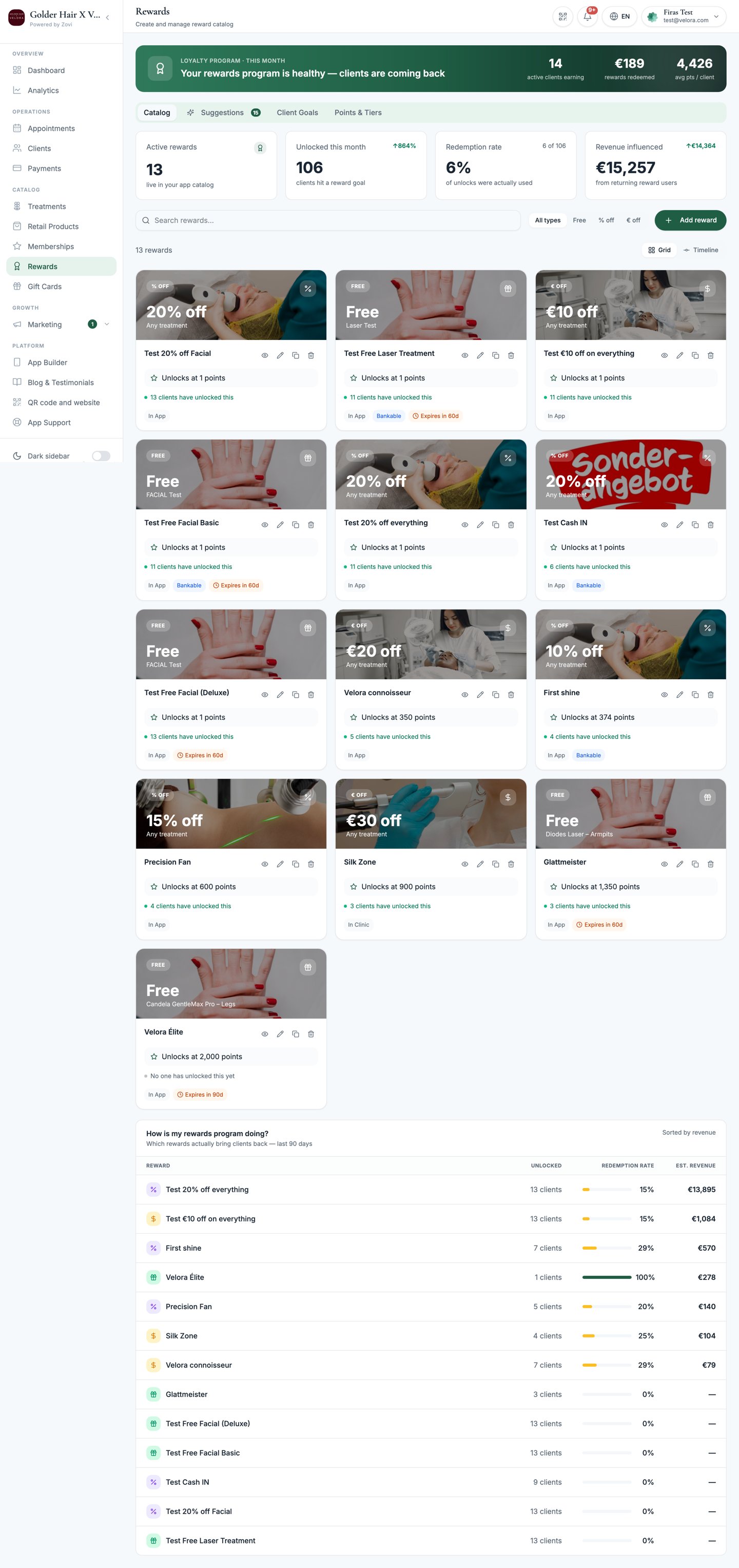
Screenshot: the Rewards page showing the Catalog / Suggestions / Client Goals / Points & Tiers tabs and a grid of reward cards.
Earn rates
Earn rates set how many points clients get for different actions. You’ll find them on the Points & Tiers tab, each controlled with a slider:
There’s also a Bank In toggle that lets clients convert points into store
credit.
Rewarding clients for bringing friends is a separate programme. It pays a
cash-value reward in your own currency to both sides, and you set it up under
Referrals rather than here.
Welcome gift
Turn on the Welcome gift to automatically award a reward from your catalog the moment a client signs up. Enable it, then pick which catalog reward to give. It’s a strong first impression that gets clients into the loyalty habit straight away. The gift is granted once, on top of the sign-up points, however the client joins, and they see it celebrated on their final sign-up screen. Until recently it only fired for clients arriving through an emailed invitation link, so clients who signed up by email, Google, Apple or phone code silently got nothing. All of those routes now grant the gift.Clients who join through a referral link receive their referral reward instead.
They never get both. See Referrals.
Create a reward
On the Catalog tab, add the rewards clients redeem their points on. Rewards appear as cards showing the discount, the unlock threshold (Unlocks at N pts),
how many clients have unlocked it, and chips for channel, bankability, expiry, and
any health-and-wellness flag. Each card offers Edit, Duplicate, and
Archive.
1
Open the reward form
Select the option to add a reward on the Catalog tab.
2
Describe the reward
Set the Name, Description, and Image.
3
Set the unlock and redemption rules
Choose the points threshold, where it’s redeemed, and when it expires.
4
Choose the discount
Pick the discount type and what it applies to.
5
Save
Save the reward. It appears in your catalog and in the client app.
Reward fields
Tiers
Tiers reward clients for their total spend over time. On the Points & Tiers tab, each tier is a card you configure:
Each tier card also shows how many clients currently sit in it.
Bonus and multiplier events
Run limited-time boosts to earning. On the Points & Tiers tab, add a Bonus / Multiplier Event:Suggestions and client goals
- Suggestions: Zovi generates personalised rewards for individual clients. Review them on the Suggestions tab and approve the ones you want to send.
- Client Goals: track the progress clients are making toward their next reward or tier.
Related
Check-in points
How clients earn check-in points when you scan them in.
Loyalty Engine guardrails
Set the caps that keep automated discounts under control.